
Herald
Push notifications for AI coding agents.
Know the moment your agent finishes, errors out, or needs input. On your iPhone, your lock screen, and in your terminal.
Download on the App Store Coming Soon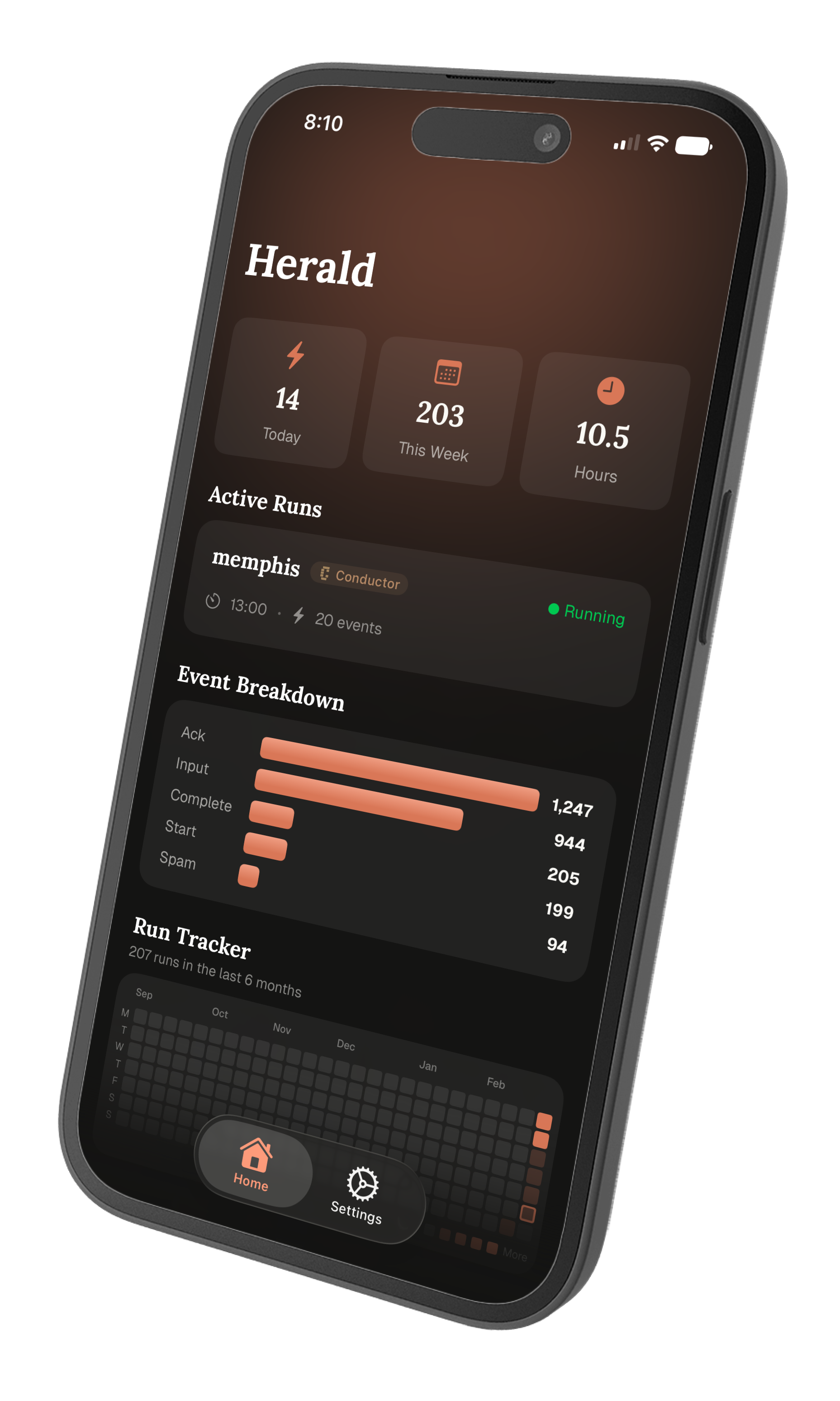
Push notifications for AI coding agents.
Know the moment your agent finishes, errors out, or needs input. On your iPhone, your lock screen, and in your terminal.
Download on the App Store Coming Soon Three steps. Under a minute. No accounts, no API keys.
One command installs a lightweight hook that runs alongside your coding agent. No configuration files, no API keys.
curl -fsSL https://api.heraldcode.com/install | sh Scan a QR code from the Herald app to link your terminal. Sessions are tied to your device, not an account.
Herald detects when your agent starts, completes a task, hits an error, or needs your input. You get notified instantly.
Real-time alerts when your agent completes a task, encounters an error, or needs your input. Never miss a beat.
See active coding sessions on your lock screen and Dynamic Island. Live timers, status indicators, and project names at a glance.
Track runs per day, event breakdowns, and total coding hours. A contribution graph shows your agent usage over time.
Herald hooks into the tools you already use. No changes to your workflow.
 Claude
  Cursor
  OpenCode
  Conductor
 Free on the App Store. Set up in under a minute.
Download on the App Store Coming soon. Requires iOS 17.0 or later.